Online scoreboard for any sport,
rules included.
Scoreboards for 76 sports that follow the rulebook you play by. Show it on a TV, put it over your stream in OBS, or share it by link. Nothing to install, works on any device.
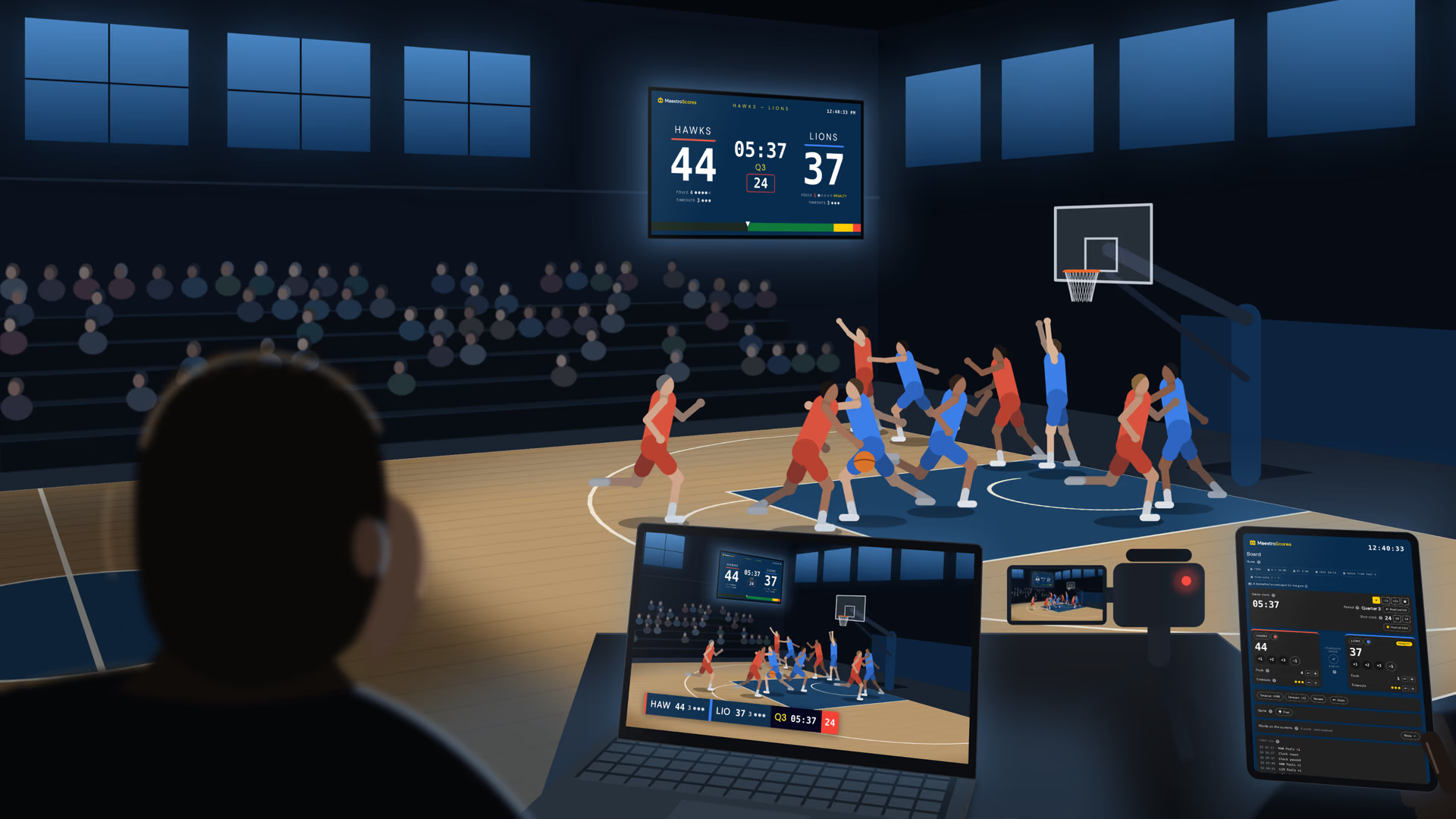
Show the score on a TV as a Scoreboard…
…or in your OBS live stream as a Scorebug…
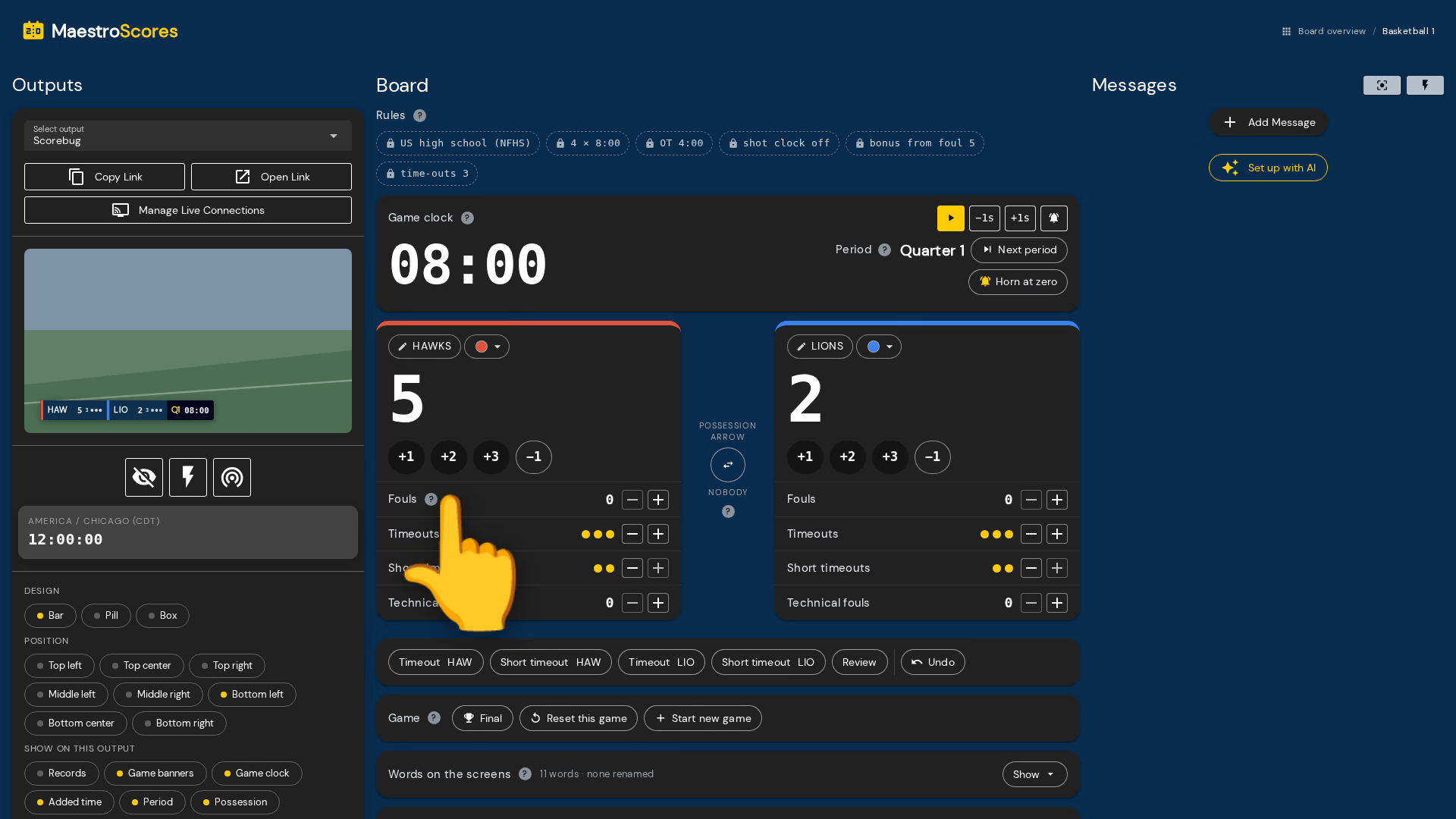
…and keep score from your phone, tablet or PC
Set up a scoreboard for your game in six steps.
From opening the page to the first points on the TV.
Open the scoreboard app in one click
Click Create a scoreboard and the app opens straight away — no signup, no download.
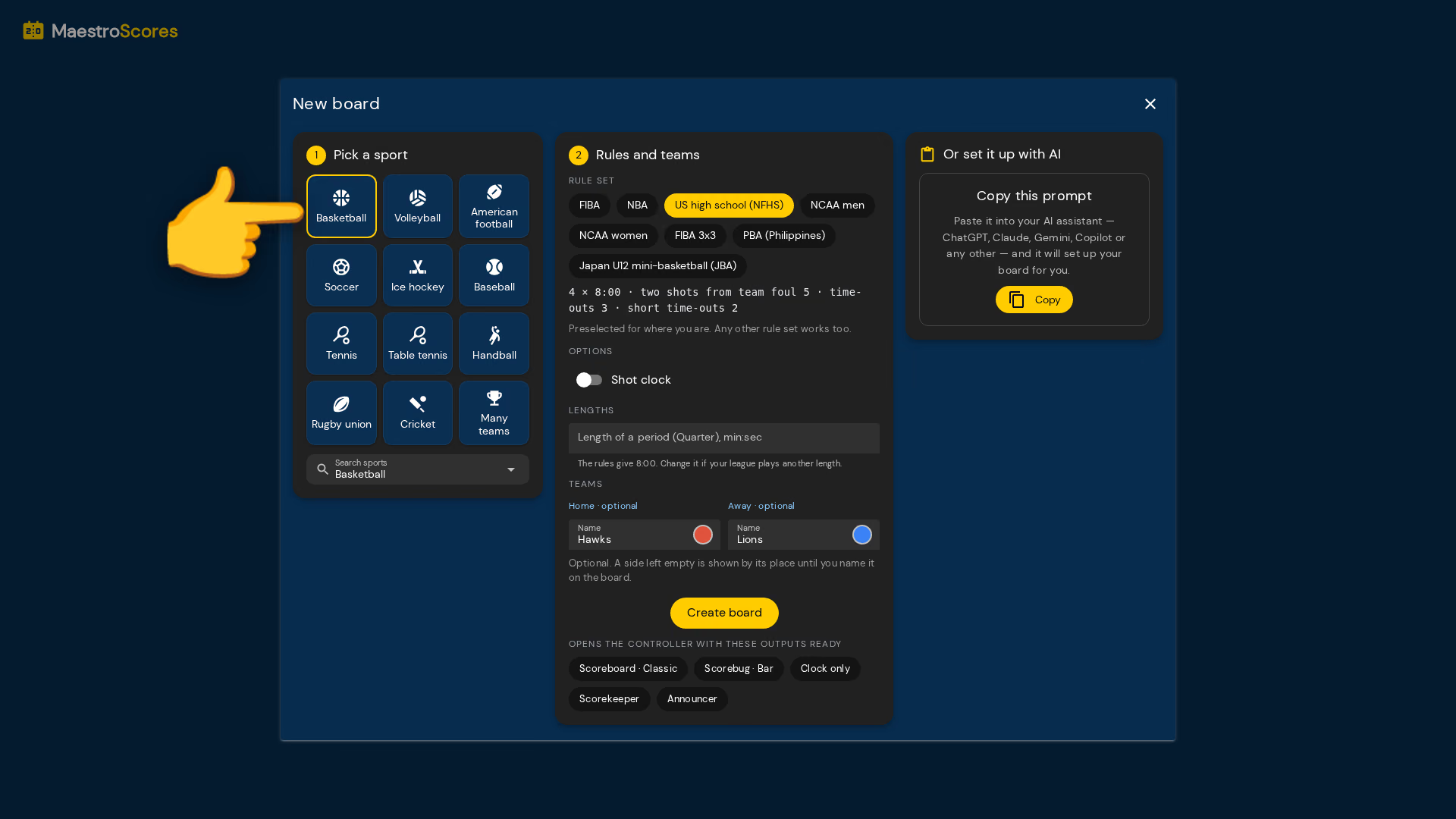
Pick your sport
Choose the sport, and the rules used in your country are already selected: FIBA, NBA, high school and many more. Or paste our prompt into your AI assistant, tell it the sport and the teams, and it sets up the board for you.
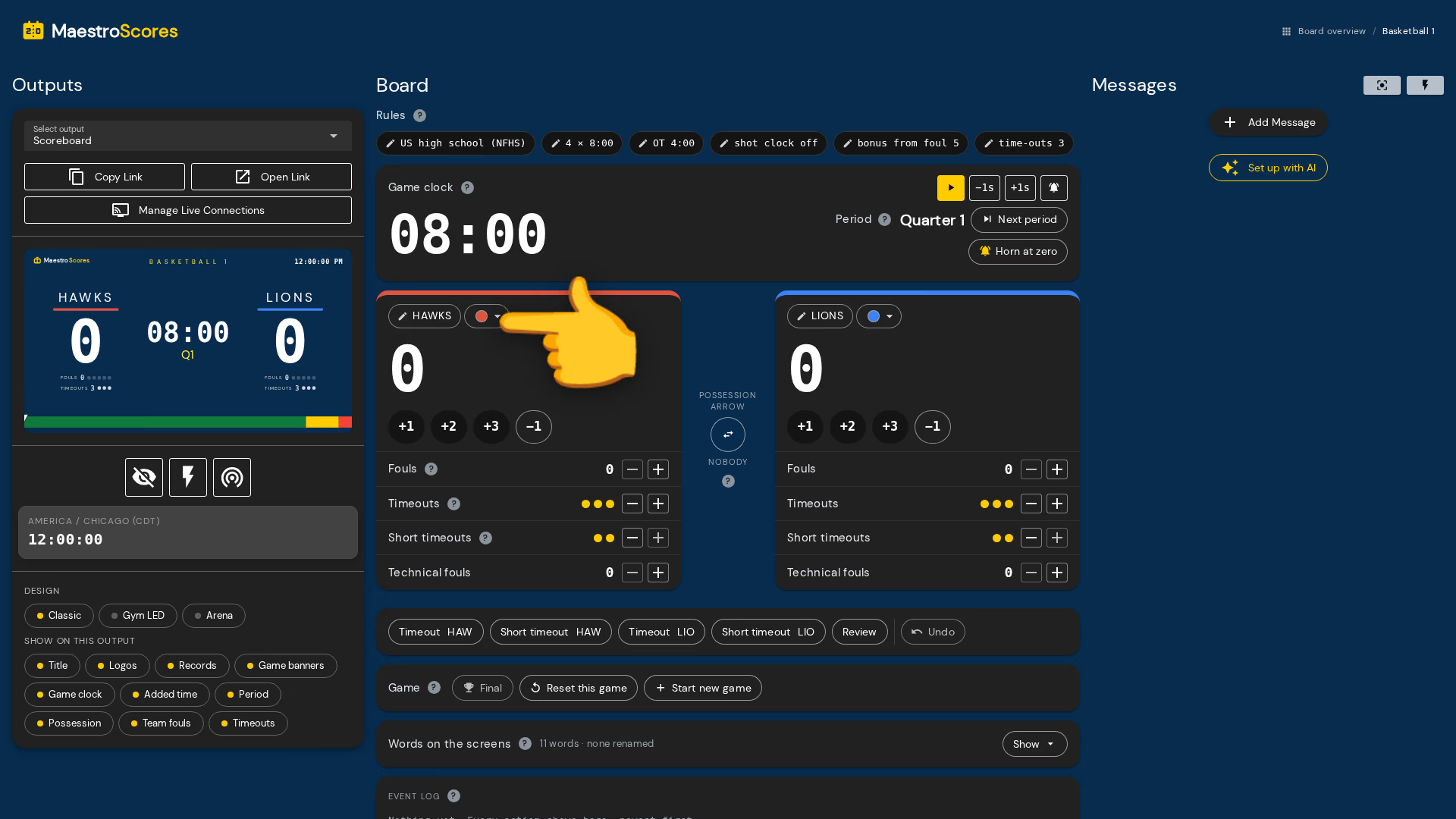
Name the teams on the board
Everything that can change is edited where it is shown: the pen beside a team opens its name and colour.
Put it on your screens
Every screen is a link. Copy the Scoreboard for the TV, the Scorebug for your stream, and the Scorekeeper page for a helper’s phone.
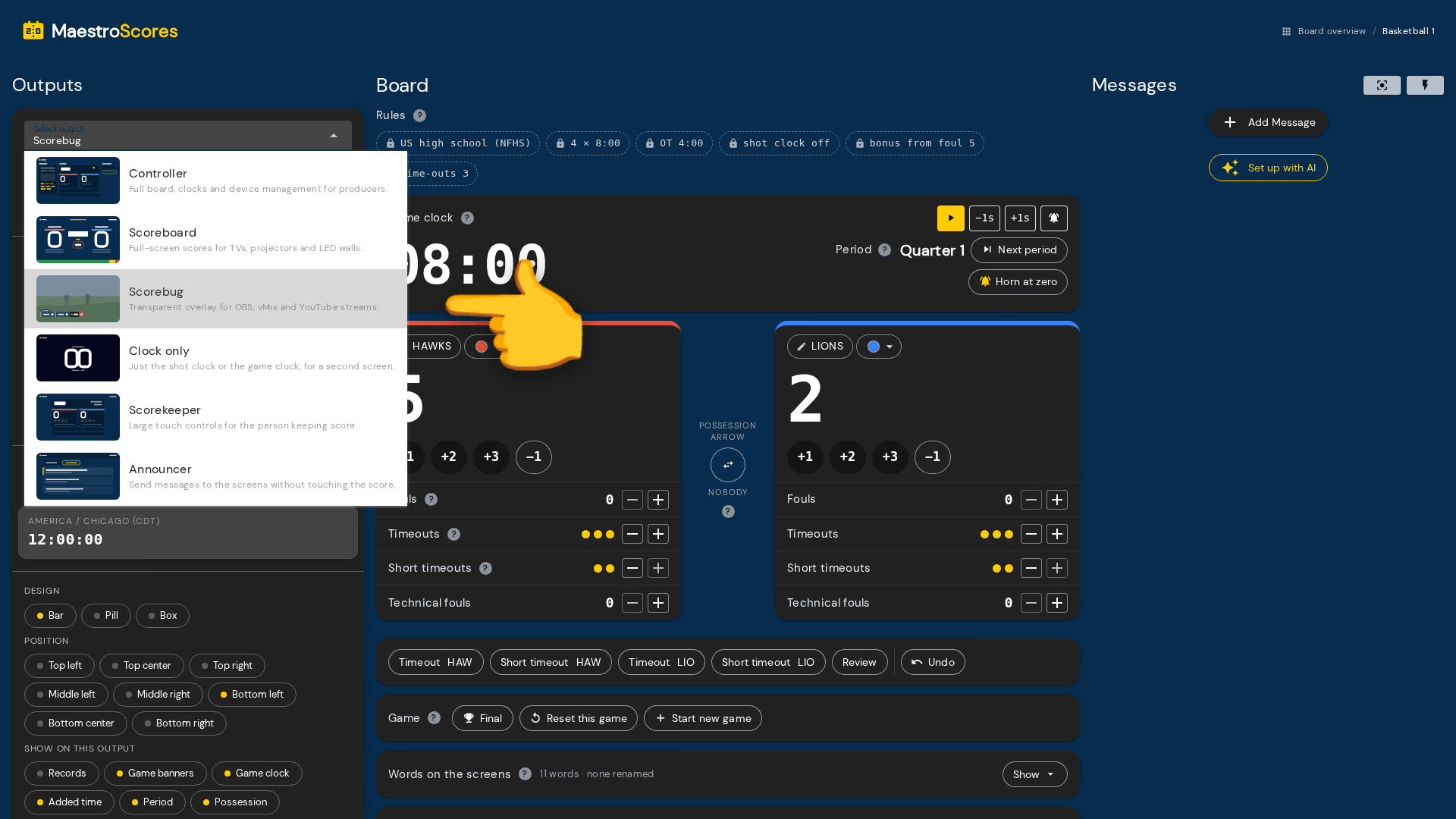
See what your stream shows
Add the Scorebug link to OBS as a browser source: the teams, the score, the period and the clock sit over your video and change the moment you score. On a TV in the hall, the Scoreboard link shows it all full-screen.
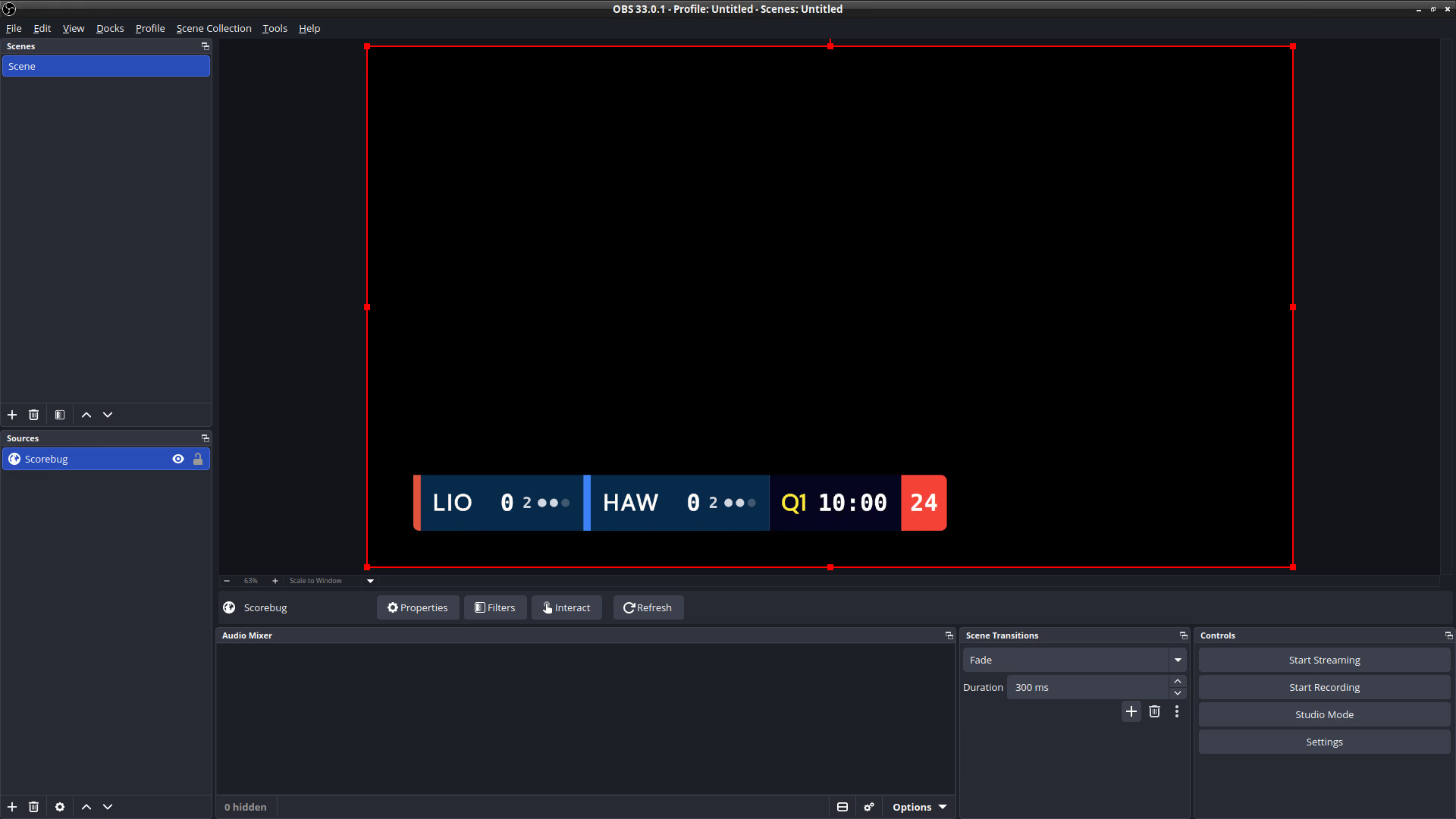 Step-by-step guideOBS scoreboard overlay: add a live stream scoreboard to OBS

Keep score
Tap +1, +2 or +3. Every screen shows the new score at the same moment, and the clock, the fouls and the timeouts follow the rulebook.
Works where you work.
It runs in your browser, with nothing to install. Works perfectly on Windows, Mac, Linux, tablets, and phones.
Ready for your next game?
The scoreboard opens in seconds. Pick your sport, put the screens up by link, and keep score from your phone.